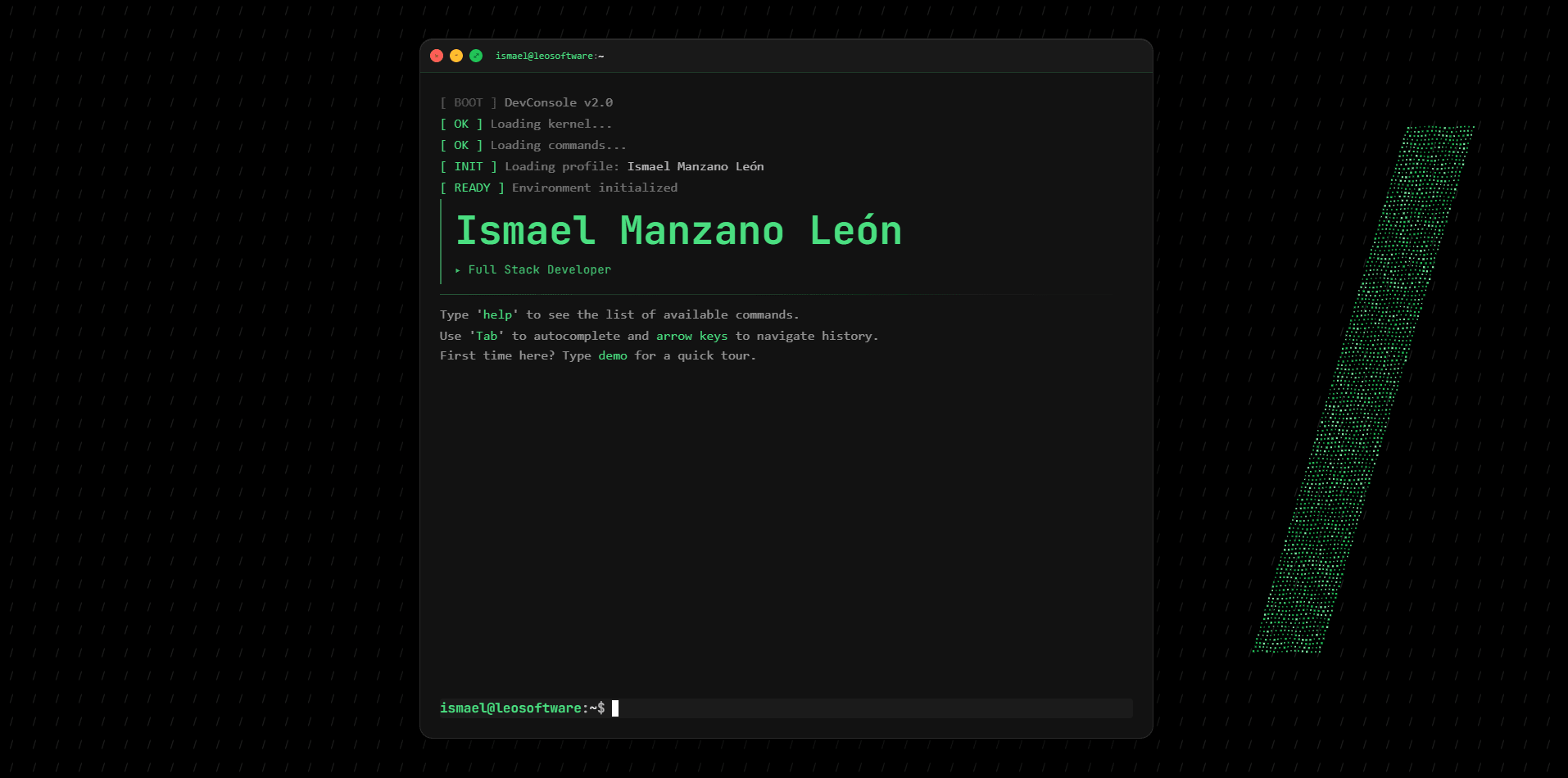
For my portfolio I chose a terminal instead of cards: a technical person knows what it is, and if it works well, you've told them something before they read anything. It's live at console.leosoftware.dev.
The logic, separate from the screen
Everything that happens when you type a command, open a section or go through the history lives in a single file, useTerminal.js. TerminalWindow.vue only draws what it's given. If tomorrow I want another interface, in React or on mobile, I change the screen and the core stays untouched.
Commands don't touch the HTML
The quick way would have been to change the HTML from each command, but that ties the logic to the screen and makes it hard to change and to test. The output area is a component with two operations, add and clear: commands call them and the component decides how it looks.
Simple autocomplete: a list and a prefix
As you type, the rest of the most likely command appears in grey, and Tab or the right arrow completes it. Underneath it's a list and a prefix search: there are fewer than twenty commands and nothing more was needed.
Two languages without reloading, sections on demand
The English and Spanish texts live in a separate module the terminal looks up by key. lang en or lang es switches instantly, and the browser remembers the choice. The large sections only load when you open them, as async components, so the terminal starts light.
An animated background that doesn't drain the battery
The background is the one from this site: a pattern of tiny slashes and the leo/ slash made of particles, which move away from the cursor. On mobile it stays faint and still, and the animation stops when the tab isn't visible.
What I learned: knowing where to stop
A terminal can grow endlessly. I had a virtual file system with ls, cd, cat and pwd, and I removed it: now each command opens its section. I wanted to show how I decide, not how much I can cram in.